
Mac window switchers compared in 2026
Compare Mac window switchers and AltTab alternatives in 2026. Find free and paid apps for window search, Command-Tab replacement, and browser tabs.
Looking for a Mac window switcher in 2026? Start with AltTab for a free, open-source switcher with window previews, or BetterCmdTab for free window search and browser tab switching. Witch and WindowHopper offer paid ways to find windows and tabs. Rulr is worth considering if you want a free window switcher alongside visual Mac automation Rules.
Rulr’s Window Switcher Action can also expand Chrome and Safari tabs into the switcher, so you can choose a browser tab or an application window from the same panel. This article is published by Rulr; the comparison includes alternatives that may be a better fit for your workflow. Prices and features below were checked on November 6, 2026 and can change.
If you are looking for an AltTab alternative or a Command-Tab replacement for Mac, compare whether you need window previews, title search, browser tabs, or a sidebar. The built-in Mac app switcher covers app-level switching, while the tools below offer different ways to find individual windows.
Compare Mac window switchers
| Option | Best for | Price | Consider before choosing |
|---|---|---|---|
| macOS shortcuts | Switching apps or cycling through one app’s windows without installing anything | Included with macOS | Command-Tab switches apps; Command-` cycles through windows of the current app. |
| AltTab | An open-source window switcher with previews | Core features free; Pro from $9.99 | Search in the official prebuilt app is a Pro feature. |
| BetterCmdTab | Free window search, previews, and browser tab switching | Free and open source | A dedicated switcher with broad tab support; live previews need Screen Recording permission. |
| Open Contexts | Free window search, a sidebar, and window groups | Free and open source | Focuses on organizing and switching windows; check its documentation for your workflow. |
| Witch | A dedicated switcher for apps, windows, and tabs with extensive customization | $14; free trial | Paid license; check its supported apps and tab behavior. |
| WindowHopper | Searching windows and tabs across several browsers and apps | $9.99 one-time purchase | Search-focused workflow; check the vendor’s current license and compatibility. |
| Rulr | Free window switching and Chrome/Safari tab selection within a wider automation app | Window Switcher Action is free; other features may require Pro | Requires a Rule and Accessibility access. Browser tab expansion is optional and requires browser Automation permissions. |
The prices above come from the vendors’ pages: AltTab, BetterCmdTab, Open Contexts, Witch, and WindowHopper. Rulr’s free Action is described in the Window Switcher Rule. This comparison uses vendor documentation and Rulr’s implementation; it is not a benchmark or an independent hands-on test of every product.
First, try the built-in Mac shortcuts
On macOS, Command-Tab moves between open apps. To cycle between windows of the app you are using, press Command-`; the second key can vary with keyboard layout. Apple documents both in its Mac keyboard shortcuts.
These are useful when you know which app or window you want. To see open windows visually, use Mission Control and select the window you need. A dedicated switcher can be more convenient when several apps each have multiple windows and you want to choose a specific one from a list. If you only need to arrange windows side by side, see our Mac window manager comparison instead.
AltTab: free window previews
AltTab brings a Windows-style Alt-Tab workflow to macOS. Its free core switches individual windows and shows previews, including minimized or hidden windows and windows on other Spaces. It is open source, and its downloadable Pro tier adds window search, additional styles, and more shortcuts.
Choose AltTab if window previews and an established, dedicated switcher are your priorities. Its free core is a strong option in its own right; you do not need Rulr simply to switch windows for free. If you want to search in the official prebuilt AltTab app, check the current free and Pro comparison.
Which AltTab alternative should you choose?
For a free alternative with window search and browser tabs, consider BetterCmdTab. For a searchable window list and sidebar, try Open Contexts. Witch offers configurable window and tab switchers as a paid app. Rulr’s free Window Switcher is an option if you also want visual automation Rules, with optional Chrome and Safari tab expansion. If window thumbnails are essential, AltTab’s free version remains a strong choice.
BetterCmdTab: free window and browser tab switching
BetterCmdTab is a free, open-source Command-Tab replacement with window search, previews, and a browser tab picker. Its site lists Safari, Chrome, Arc, Brave, and Edge among its supported tab sources, as well as Finder and Terminal. It also offers window tiling and configurable layouts.
Choose BetterCmdTab if you want a dedicated switcher with more browser coverage and previews. Rulr’s free switcher supports Chrome and Safari tabs and sits alongside its visual Rules. BetterCmdTab requests Accessibility for switching, Automation for browser tabs, and Screen Recording for live previews; check the permissions required by the features you use.
Open Contexts: free search and a sidebar
Open Contexts is a free, open-source window switcher that lets you search window titles and app names. It also provides an optional sidebar or window dock and saved window groups.
Choose it if you want window search and a persistent way to organize windows without setting up automation Rules. Its sidebar and saved groups are different from Rulr’s interactive switcher panel; decide which workflow you prefer.
Witch: a configurable window and tab switcher
Witch is a dedicated app for switching between apps, windows, and tabs. It supports search and multiple switchers, with options for layouts, ordering, and tab handling. At the time of this comparison, a license costs $14 and a free trial is available.
Witch is a good choice if you want a dedicated switcher with extensive configuration. Rulr’s Window Switcher Action is free, but Witch offers its own switching options, so compare the supported apps and interaction you need rather than price alone.
WindowHopper: search across windows and tabs
WindowHopper takes a search-first approach: open its panel with a shortcut, type a few letters, and select a result. Its website describes search across windows and tabs in Chrome, Safari, Arc, Firefox, and other supported apps. It also advertises favorites and tags. The listed price is $9.99 as a one-time purchase.
Choose WindowHopper if its wider tab coverage and search-focused workflow fit your setup. Rulr’s browser tab expansion in the Window Switcher is limited to Google Chrome and Safari; it does not claim the same app or browser coverage.
Rulr: free window and browser tab switching
Rulr’s Show Window Switcher Action opens an interactive picker for application windows. The Action is free. You can choose a vertical or horizontal layout, exclude apps, and search by application name or window title. With Expand Browser Tabs enabled, the same panel can show individual Google Chrome and Safari tabs and search their titles.
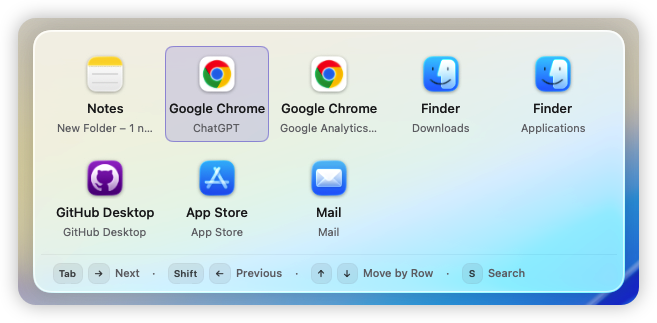
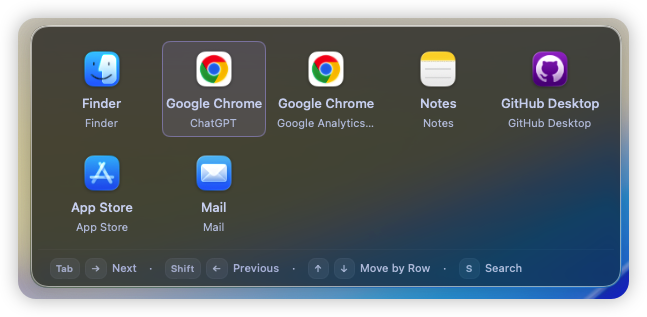
The horizontal layout presents open windows as a grid of app icons and titles.
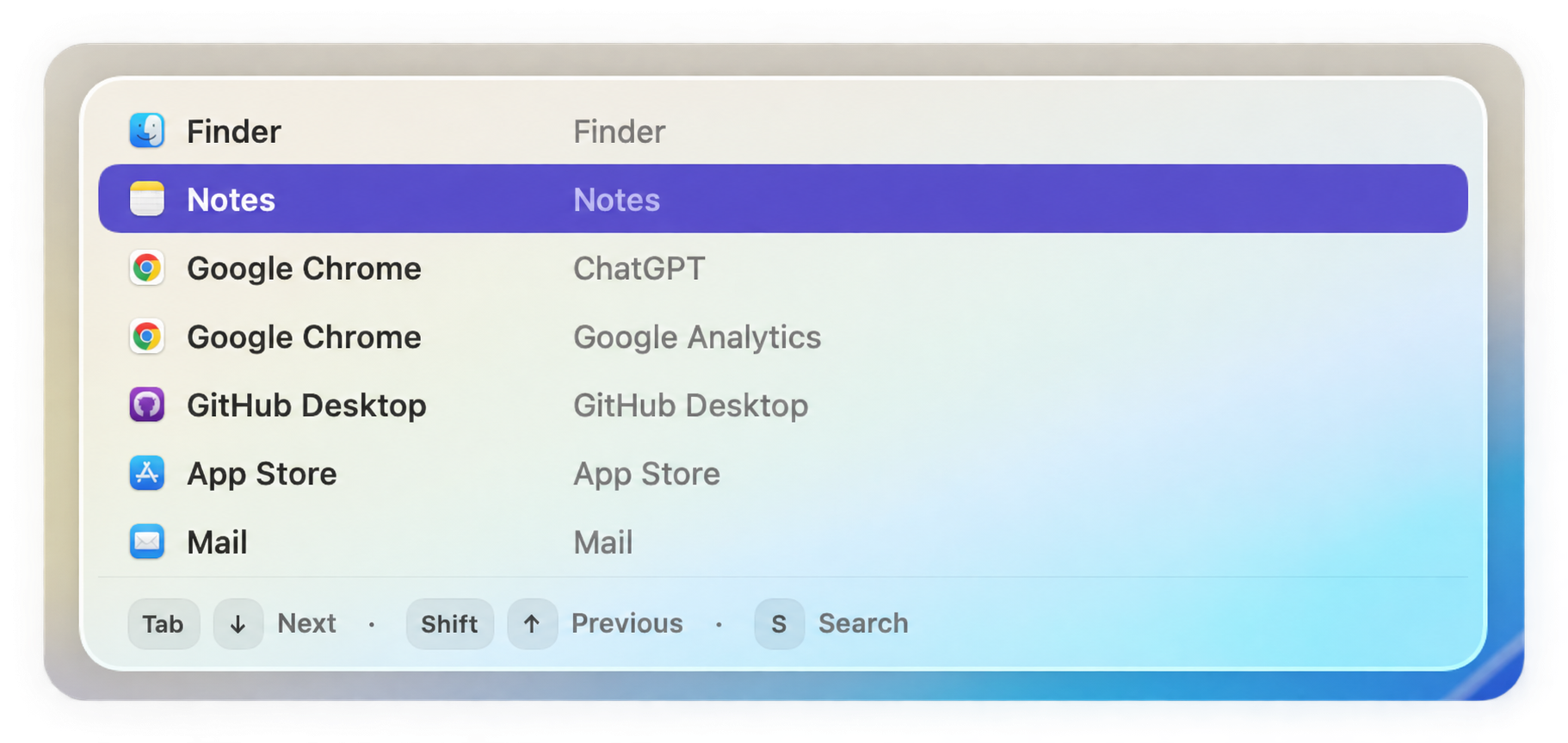
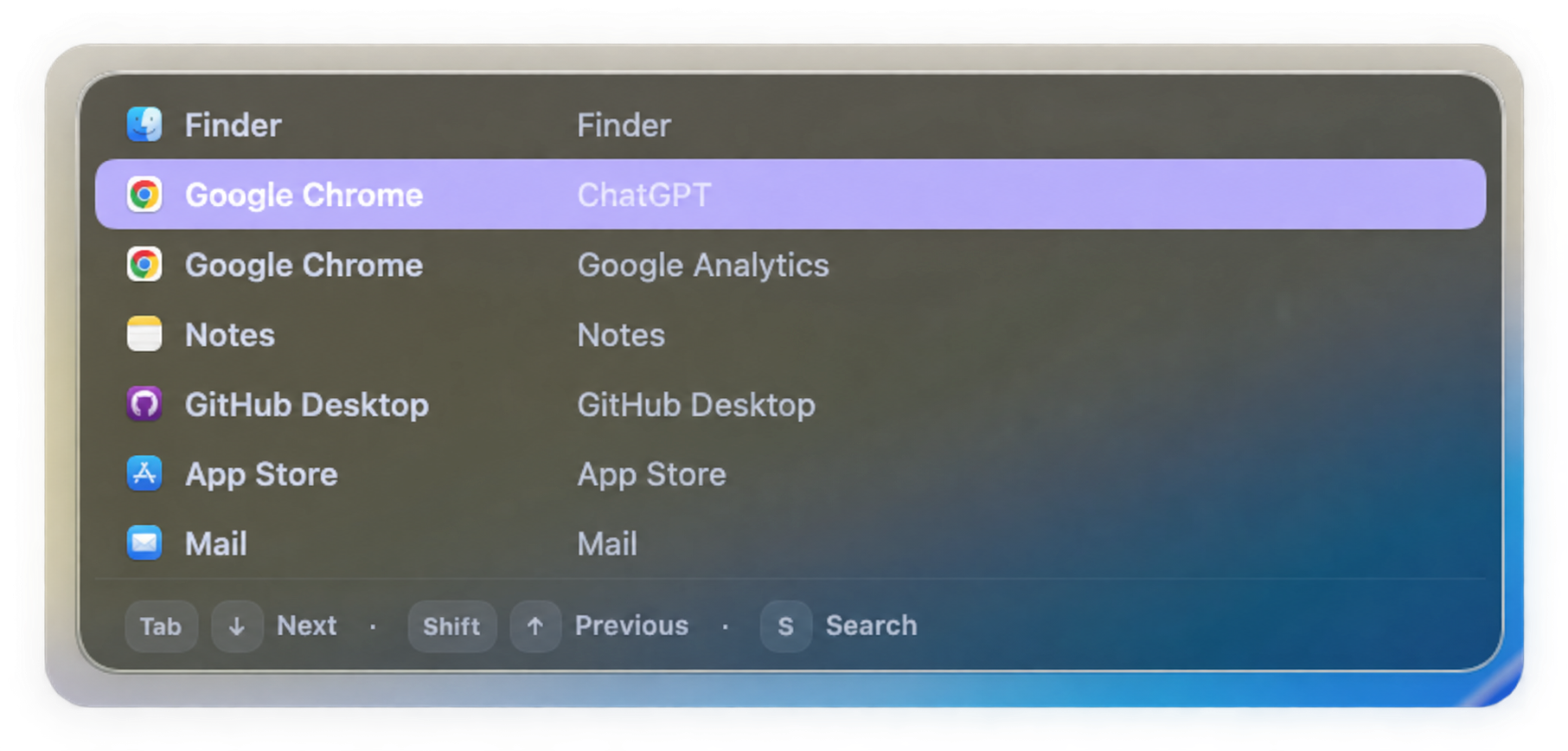
The vertical layout shows app names and window titles in a list. Both layouts support keyboard navigation and search.
Customize the layout, excluded apps, and browser tabs
Select Show Window Switcher in your Rule to configure the panel:
- Layout: Choose horizontal for an icon grid or vertical for a list of window titles.
- Exclude Apps: Select apps whose windows you do not want in the switcher. Leave the list empty to include eligible windows from all apps.
- Expand Browser Tabs: Show individual Google Chrome and Safari tabs as selectable items alongside other application windows. Search can match tab titles as well as app and window names.
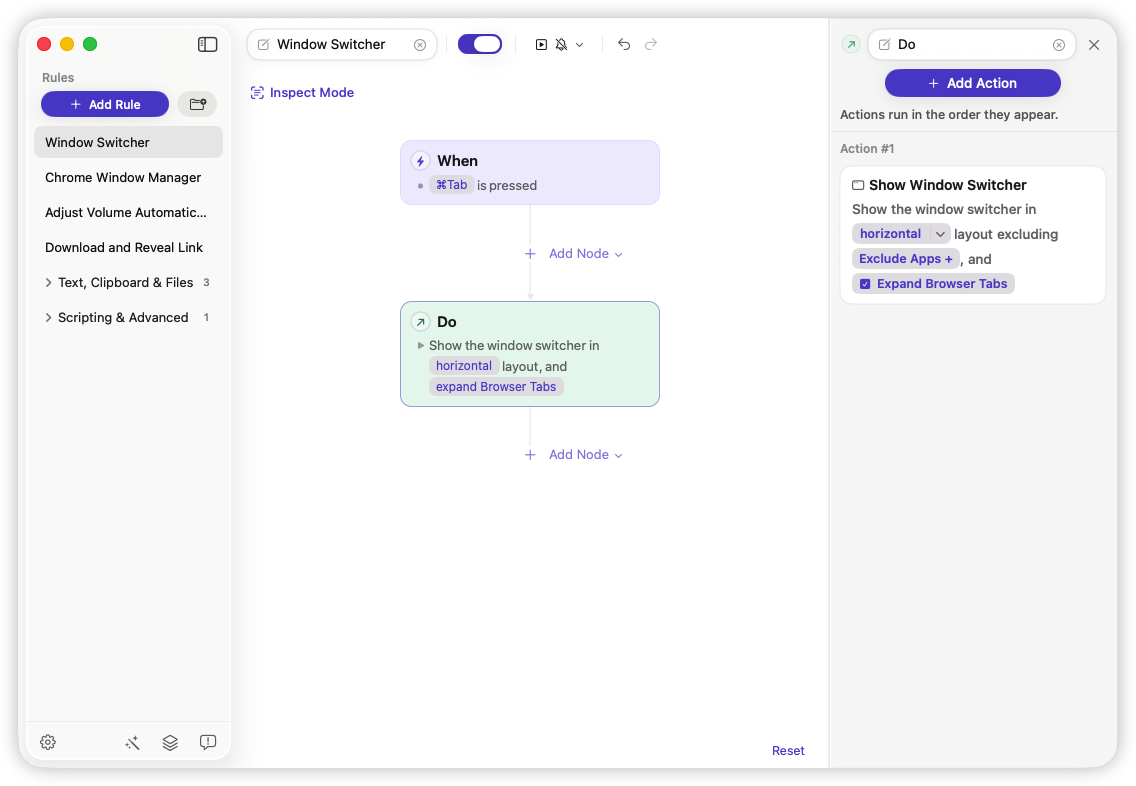
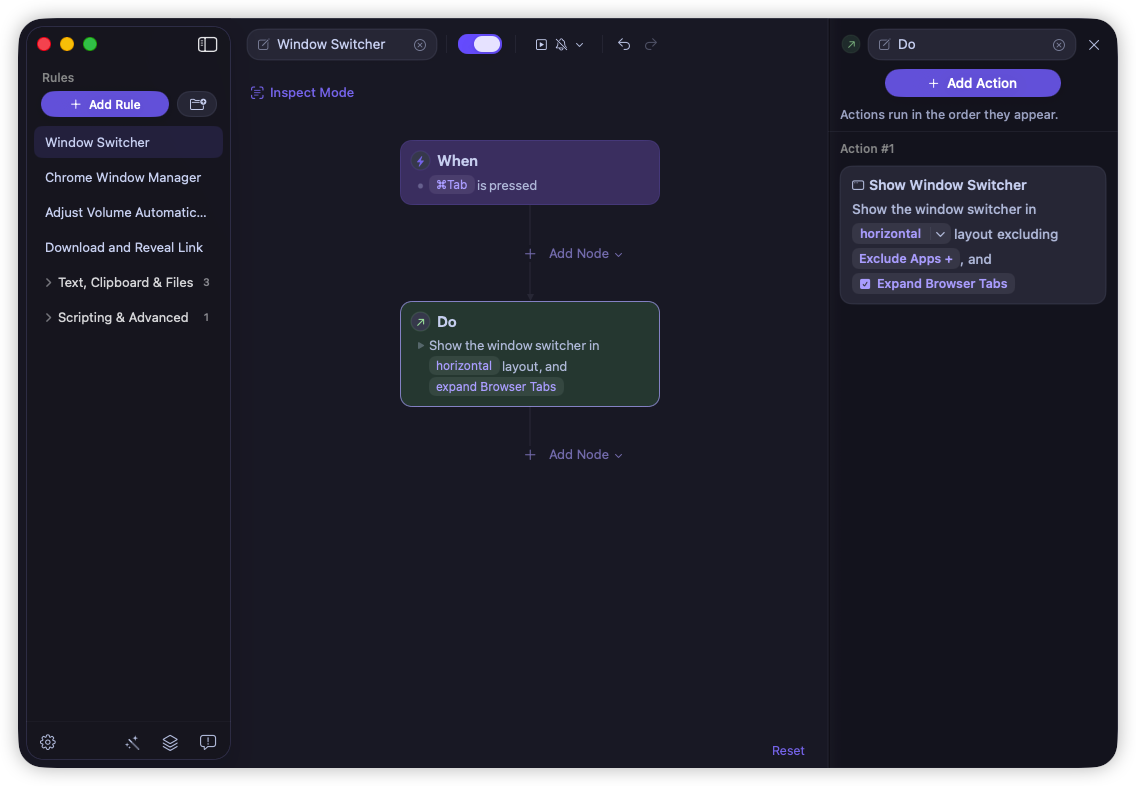
The screenshot shows a customized shortcut and tab expansion enabled; the supplied Rule uses Option-Tab and leaves tab expansion off by default.
Browser tab expansion requires Automation permission for the relevant running browsers; the window switcher also requires Accessibility access. If browser tabs cannot be read, ordinary browser windows can remain available. The feature is limited to Chrome and Safari, and tab availability depends on browser state and permissions.
A useful distinction is that Rulr is also a visual automation app. The switcher can be an Action in a Rule, rather than a standalone utility. The supplied Window Switcher Rule starts with an Option-Tab hotkey and a horizontal picker; you can change its shortcut and settings after importing. Other Rulr Actions and automation features may require Pro.
This preview shows the supplied Rule’s configuration, not a screenshot of browser tab expansion. The tab setting is off by default.
Set up the free switcher
- Open the Window Switcher Rule and import it into Rulr.
- Review the hotkey and choose an unused shortcut if Option-Tab conflicts with another app.
- In Show Window Switcher, choose a layout and optionally exclude apps. Turn on Expand Browser Tabs if you want Chrome and Safari tabs in the panel.
- Grant Accessibility access and, for tab expansion, the requested browser Automation permissions. Open some windows and tabs, then use the shortcut to choose an item.
Tab expansion requires a Rulr version that includes the setting. The sample Rule’s default configuration does not turn it on automatically. The Rule detail covers the window-switching setup; Search Chrome Windows and Tabs is a separate Chrome-focused Rule.
More Rules for windows and browser tabs
Rulr also offers Rules for managing Chrome windows and arranging app windows. Each sample has its own shortcut or Trigger and can be adjusted after import.
Manage Chrome windows and tabs
The Chrome Window Manager Rule opens a separate panel for finding pages across open Chrome windows and tabs. Its manager also provides controls to create, reload, or close windows and tabs. The supplied shortcut is Option-Space, and the Action requires Automation access to Google Chrome. It is Chrome-only and does not search Safari, bookmarks, or browsing history.
Arrange an app window
Move Window to Left Half moves and resizes the focused window with a shortcut. Change the layout preset if you prefer a different half, corner, maximized, or centered position. It requires Accessibility access and a Rulr version with Set Window Layout; it does not continuously tile windows or provide drag-to-snap controls.
Move a window after a display change
Monitor Workspace responds to a display-layout change and, when more than one display is connected, moves a selected app’s window to a chosen screen. Select the app and screen after importing. This Rule requires Rulr Pro and moves one window; it does not restore a complete workspace.
Which window switcher should you choose?
Choose AltTab for a free, open-source window switcher with previews. Choose BetterCmdTab for free window and tab switching with broader browser support, or Open Contexts for free window search and a sidebar. Consider Witch for a dedicated configurable window-and-tab switcher, or WindowHopper if searching tabs across more browsers and apps matters to you.
Choose Rulr if you want free window switching with optional Chrome and Safari tab selection, and would also use visual Rules for other Mac tasks. Try each app with your own windows, browser permissions, and shortcuts: the best choice depends on how you navigate your Mac.
Frequently asked questions
What is the best free AltTab alternative for Mac?
BetterCmdTab offers free window search, previews, and browser tab switching; Open Contexts is a free option with window search and a sidebar. Rulr’s Window Switcher Action is also free and supports optional Chrome and Safari tab expansion. Choose based on browser support, layout, permissions, and whether you want a dedicated switcher or automation Rules.
Can I replace Command-Tab with a Mac window switcher?
Dedicated switchers such as AltTab and BetterCmdTab can provide an alternative to the built-in Command-Tab app switcher. In Rulr, configure a hotkey for the Show Window Switcher Action and choose an unused shortcut if another app already uses it. The supplied Rule starts with Option-Tab; review its shortcut after importing.
Is there a free Alt-Tab for Mac?
Yes. macOS includes Command-Tab for switching apps and Command-` for cycling through the current app’s windows. AltTab, BetterCmdTab, and Open Contexts offer free window switching. Rulr’s Window Switcher Action is also free and can be opened with a configured shortcut.
Can I switch between browser tabs and Mac windows together?
Yes. Rulr can include individual Google Chrome and Safari tabs in its Window Switcher when Expand Browser Tabs is enabled and the relevant Automation permissions are granted. BetterCmdTab, Witch, and WindowHopper also describe window-and-tab switching; check each vendor’s supported browsers and setup.
Is a window switcher the same as a window manager?
A window switcher helps you find and focus an open window. A window manager generally helps you move, resize, or arrange windows. Some apps offer both kinds of controls. Compare arrangement tools in our Mac window manager guide.